When designing a K–12 student ID badge, choosing the right 2D or 1D optical tracking technology is a key operational decision. Your choice can impact the daily speed of cafeteria lunch lines, library checkouts, and more.
While traditional 1D linear barcodes (like Code 39 or Code 128) have been the industry standard for decades, 2D QR codes are rapidly growing in popularity due to their high data capacity and rapid omnidirectional scanning.
Here is a breakdown of the differences between barcodes and QR codes to help your school select the ideal tracking method for your badge program.
1. The Core Technology Difference
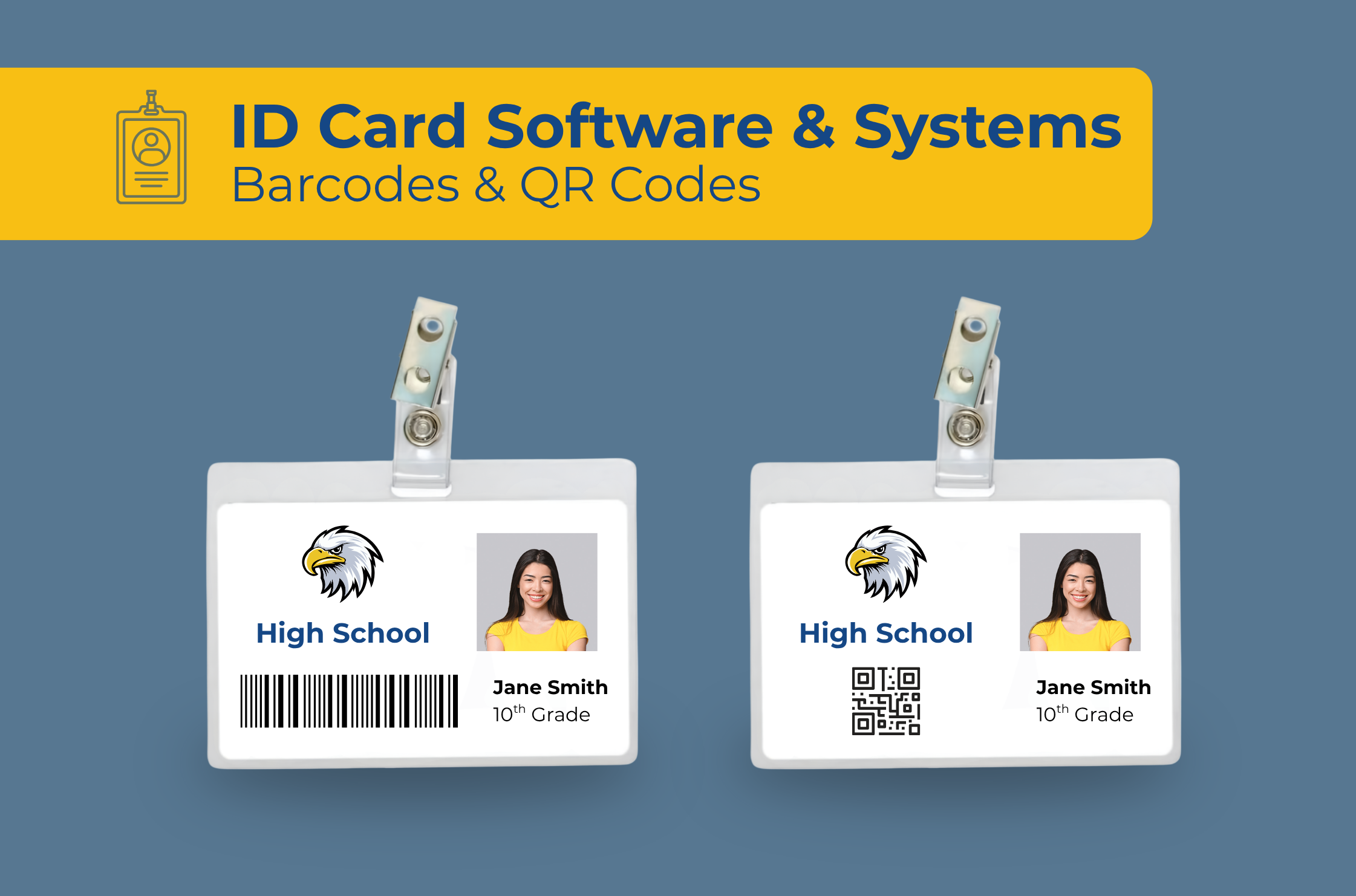
1D Linear Barcodes (Code 39 / Code 128): Store data horizontally in a series of parallel lines and spaces of varying widths. They typically hold a simple, unique alphanumeric student ID number.
2D QR Codes (Quick Response): Store data both horizontally and vertically in a grid of black and white squares. They can hold significantly more data in a compact footprint and can be read by camera-based optical scanners from any angle.
2. Comparison Breakdown: Barcode vs. QR Code
| Feature | 1D Linear Barcodes (Code 39/128) | 2D QR Codes |
|---|---|---|
| Data Capacity | Low (~20–30 alphanumeric characters max) | High (Up to 7,000+ characters or direct web URLs) |
| Cafeteria POS Line Speed | Fast with traditional red-laser line scanners. | Ultra-fast with modern 2D imager/camera scanners. |
| Damage & Scratch Resistance | Low; a deep scratch across the lines breaks the scan. | High; built-in error correction allows scanning even if up to 30% is damaged or obscured. |
| Scanner Hardware Compatibility | Compatible with virtually 100% of legacy laser and CCD readers. | Requires 2D area imagers, mobile tablet cameras, or smartphone scanners. |
| Mobile / Digital ID Integration | Difficult to scan off smartphone screens with older laser scanners. | Excellent; scans effortlessly off phone screens and digital wallet passes. |
3. Key K–12 Operational Scenarios
A. Cafeteria Lines
1D Barcodes: Work well with established laser scanners. However, students must orient the badge straight across the laser beam, which can slow down lines if students hold the card at an angle.
2D QR Codes: Offer 360-degree omnidirectional scanning. Students can swipe or flash their ID in any orientation over an imager, speeding up POS line throughput during busy lunch periods.
B. Library Checkout & ID Scanning
1D Barcodes: Standard library management systems historically defaulted to Code 39 or Code 128 barcodes.
2D QR Codes: Allow staff to scan using mobile tablets or smartphone cameras during field trips, athletic events, or emergency assemblies without needing dedicated wired hardware.
C. Physical Durability & Wear
Active students subject their badges to significant wear. If a 1D barcode gets scratched across its width, a laser reader cannot decipher the pattern.
QR codes feature Reed-Solomon error correction. Even if a student’s card is scratched, smudged, or partially defaced, 2D imagers can still accurately read the missing data.
4. Barcode & QR Code Generation in EliteID Software
Generating scannable tracking codes shouldn’t require manual graphics work.
Our cloud-based EliteID software simplifies barcode and QR code integration:
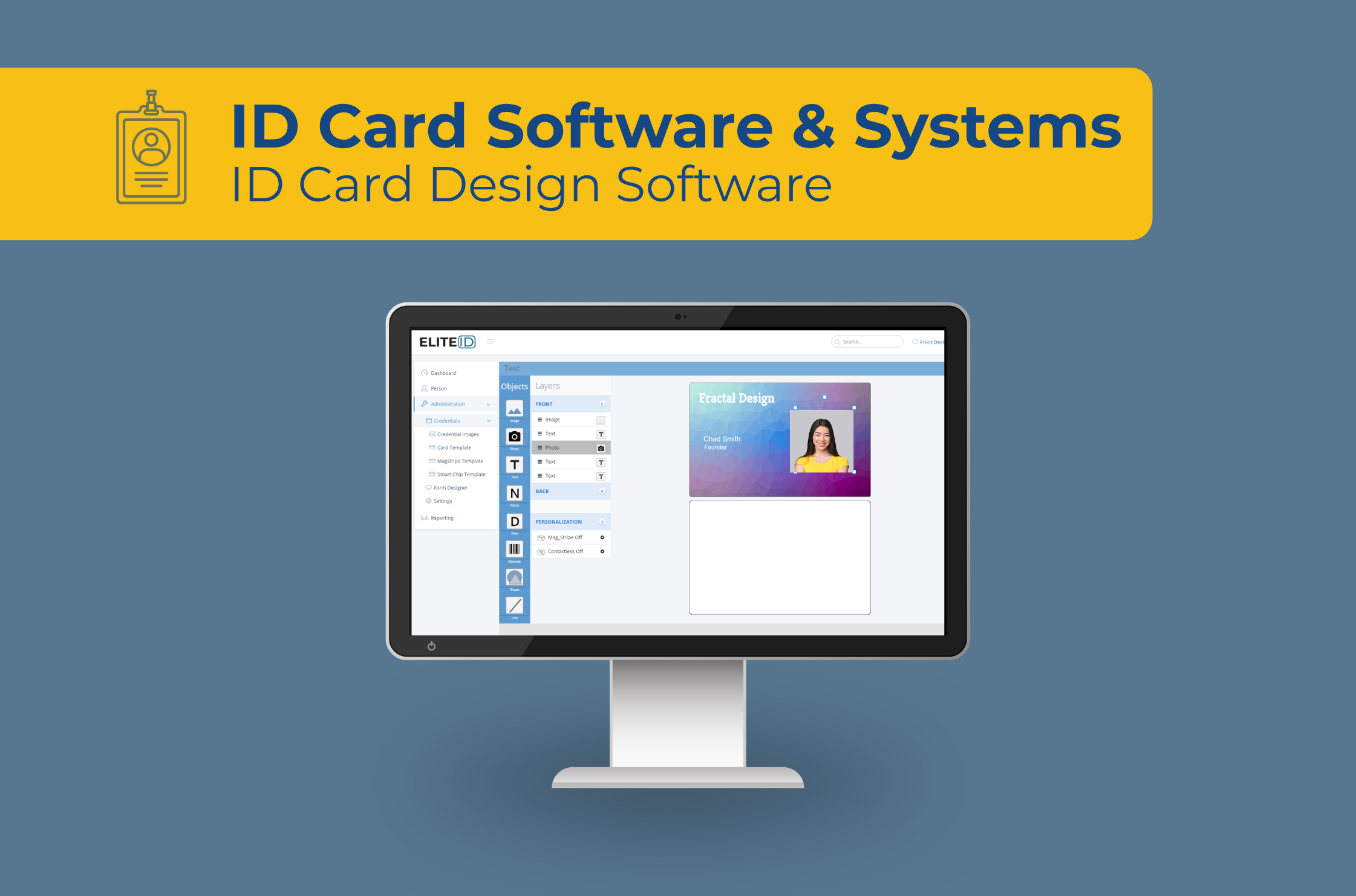
Card Designer: The built-in EliteID card designer provides easy support for both barcodes and QR codes.
Color Printing: Choose foreground and background color for your barcodes and QR codes.
Dual-Code Layouts: Print a traditional 1D barcode on the back for legacy scanners and a QR code on the front for quick mobile scanning.
Summary Recommendation: Which Should Your School Choose?
Choose 1D Barcodes if: Your school relies on legacy cafeteria POS systems or library laser scanners that only read linear barcodes, and you want a simple, proven ID layout.
Choose 2D QR Codes if: You are upgrading to modern 2D area imagers and/or scanning badges with tablet/mobile cameras.
Choose Hybrid (Both) if: You want complete backward compatibility for cafeteria hardware alongside modern QR code scanning for campus security.
Need help with your school ID card program? Contact us.